
After Elon Musk’s supposed takeover of Twitter, the social media platform has just started rolling out Twitter Circle, a new feature that gives users better control over their tweets. Last year, Twitter allowed users to specify who can reply to tweets and with Circle, you can now control who can view your tweets so that they won’t appear on everyone’s timeline.
Some Tweets are for everyone & others are just for people you’ve picked.
— Twitter Safety (@TwitterSafety) May 3, 2022
We’re now testing Twitter Circle, which lets you add up to 150 people who can see your Tweets when you want to share with a smaller crowd.
Some of you can create your own Twitter Circle beginning today! pic.twitter.com/nLaTG8qctp
Prior to this, the only way to keep your tweets private is by making the entire account private. This limits your visibility to those who follow you. Essentially, Twitter Circle is like having a private tweet group and you can select up to 150 people to see your tweets. This can be your family members or only your closest fans.
At the moment, it is being rolled out to selected Twitter accounts and here’s what it looks like:
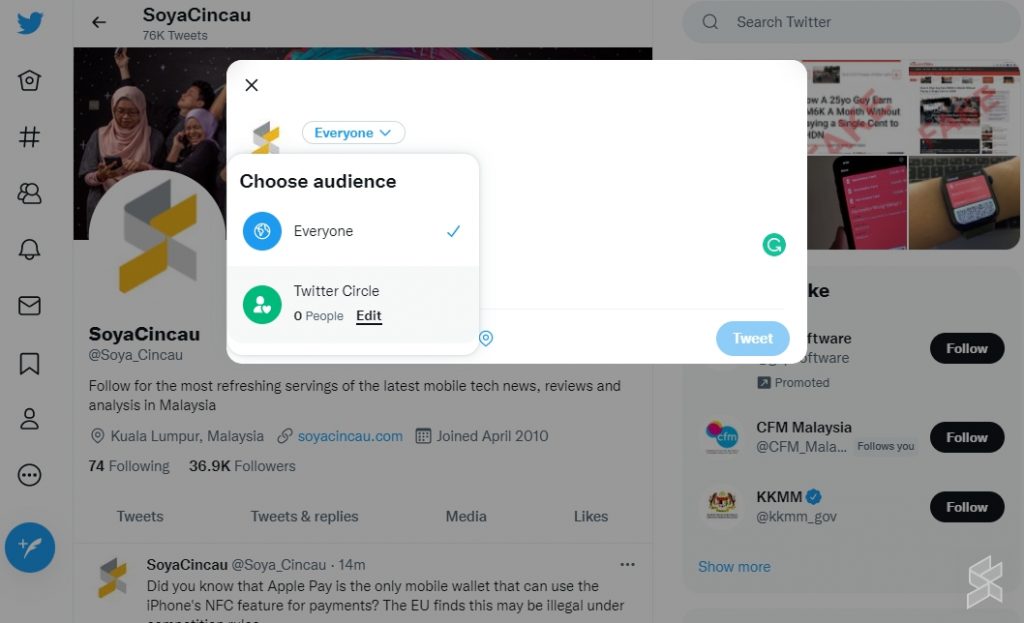
If your account has Twitter Circle enabled, you should see a new drop-down box that lets you choose between Everyone and Twitter Circle when you compose a new tweet. You can edit the Twitter Circle to include specific people or browse through a list of Recommended Twitter accounts.
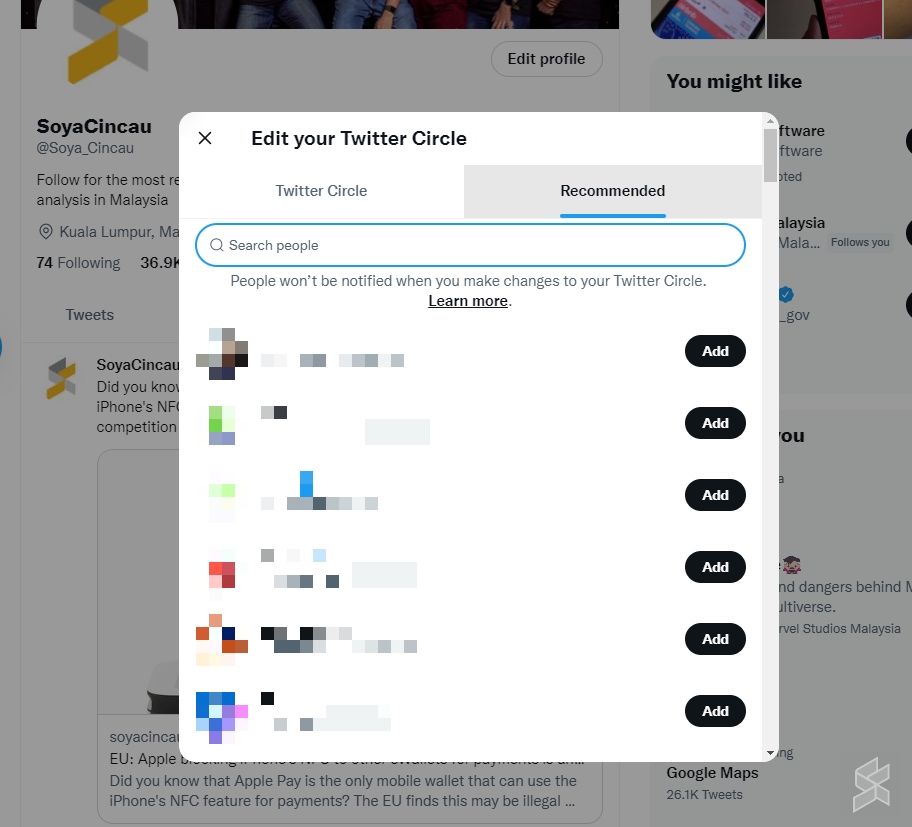
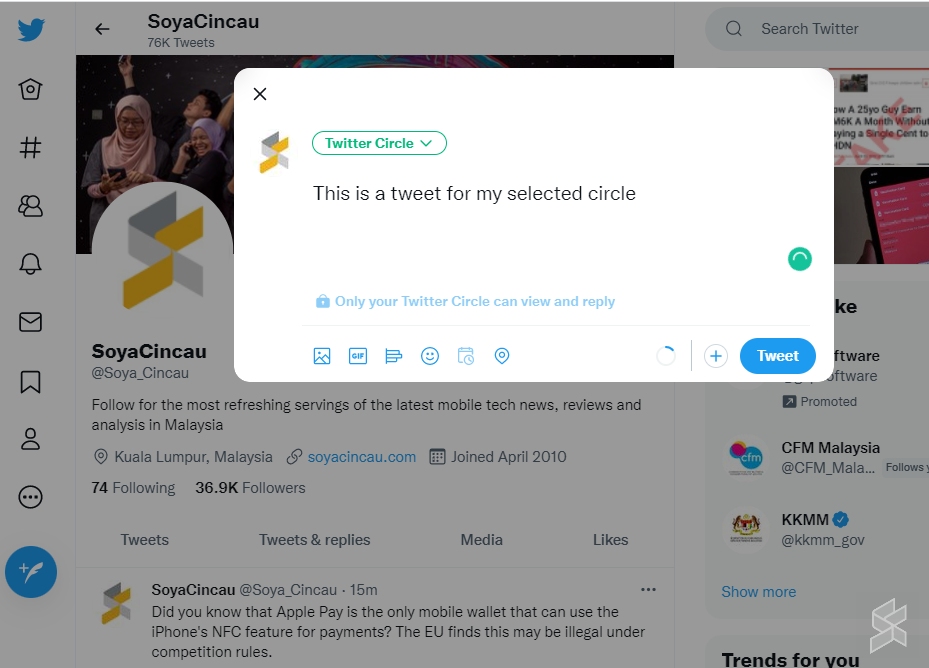
Once you’ve defined your Twitter Circle members, you can proceed to Tweet to your Twitter Circle. Only accounts in your Twitter Circle can view and reply to your tweets.
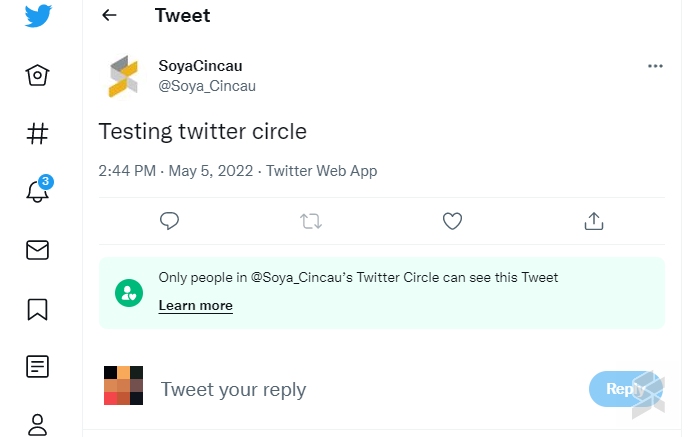
A tweet that’s made to a circle will be marked with a green label that reads “Only people in XXX Twitter Circle can see this tweet”. Similarly, if someone replies to your tweet, only people within the account’s Twitter Circle can see the reply, and it can’t be viewed by users outside the circle.
Overall, it is a neat feature to keep certain tweets private to closed groups while having your account public for wider accessibility. Last month, Twitter introduced a feature that allows users to create their own animated GIFs right on the app itself. If you’re planning to tweet with a potentially sensitive image, Twitter has started allowing users to post it with a content warning to warn others about nudity, violence or sensitive content.
So far there’s no Edit function yet which is one of the most requested features of all time for the platform. A few weeks ago, it was reported that Twitter has started testing out the edit function for selected users.
[ SOURCE ]
Related reading
- Twitter tests an edit button after Elon Musk says that he wants one
- Elon Musk manages to buy Twitter for USD 44 billion. Here’s what that means for the platform
- You can use Twitter to make your own GIFs. Here’s how
- Twitter bans sharing media of private individuals without consent. Here’s what that means.
0 comments :
Post a Comment